Self-hosted  ·  Docker  ·  AI-powered

Stop drowning in job postings.
Let AI find the ones worth your time.

Then auto-tailor your resume and cover letter — so every application lands like it was written just for that role.
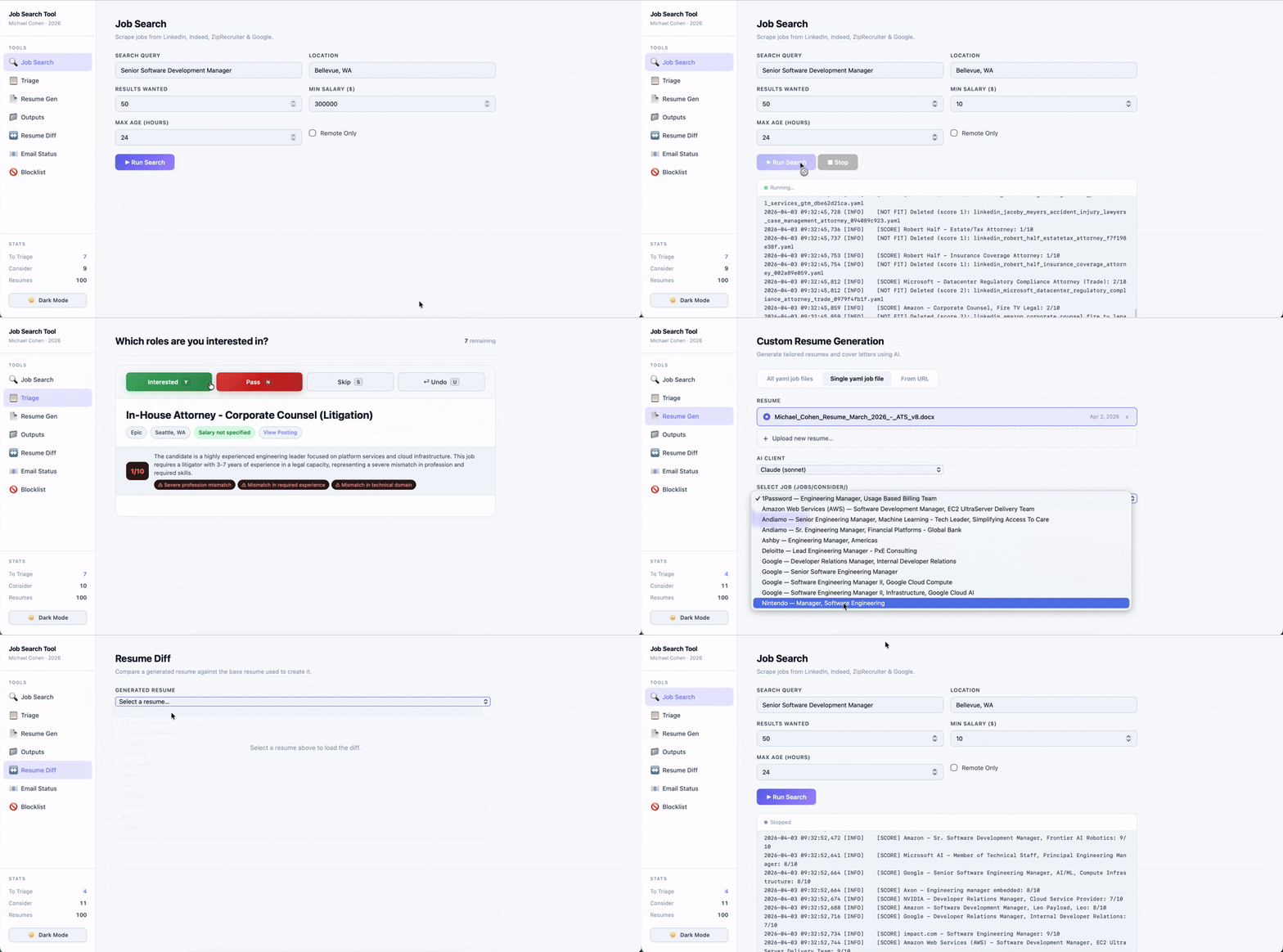
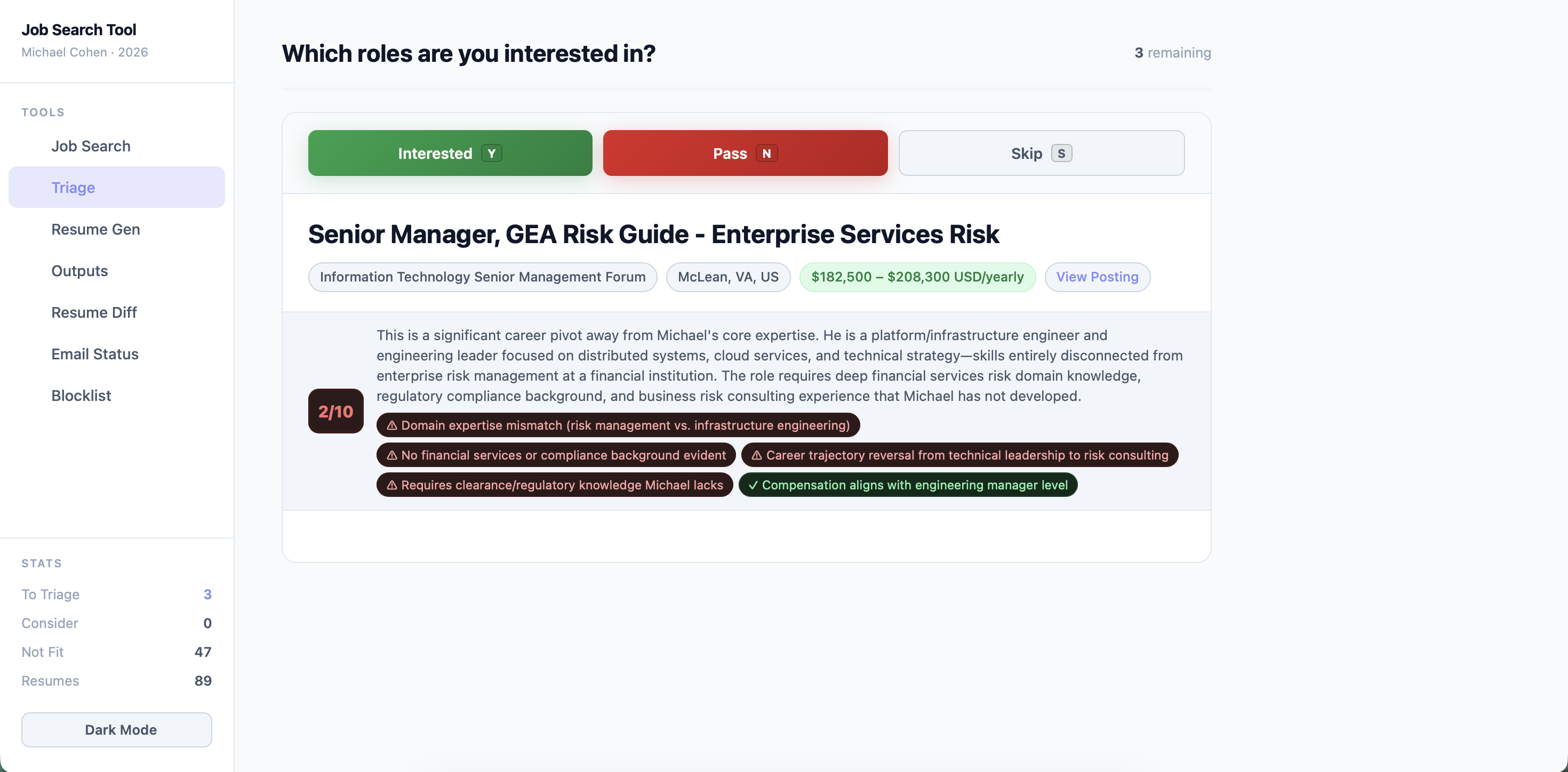
Job search tool in action

A job search tool that scores every posting against your profile and automatically hides bad matches — then tailors your resume and cover letter for the ones that make the cut, using Claude, Gemini, or a local LLM.
Get Started Get Started

Workflow

Six steps from search to application

The entire job search pipeline lives in one browser tab. No switching between tools, spreadsheets, or tabs.

01
Search
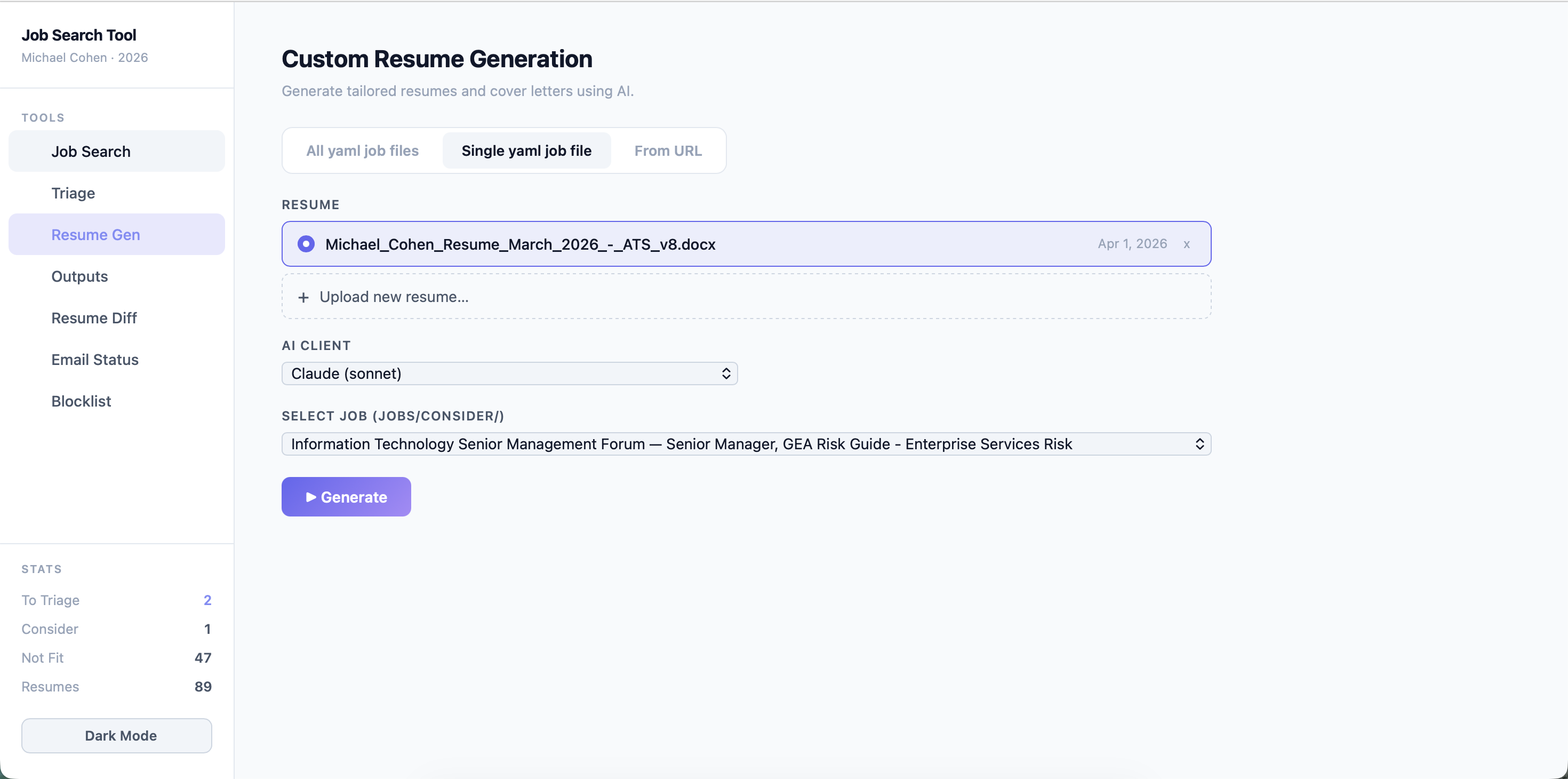
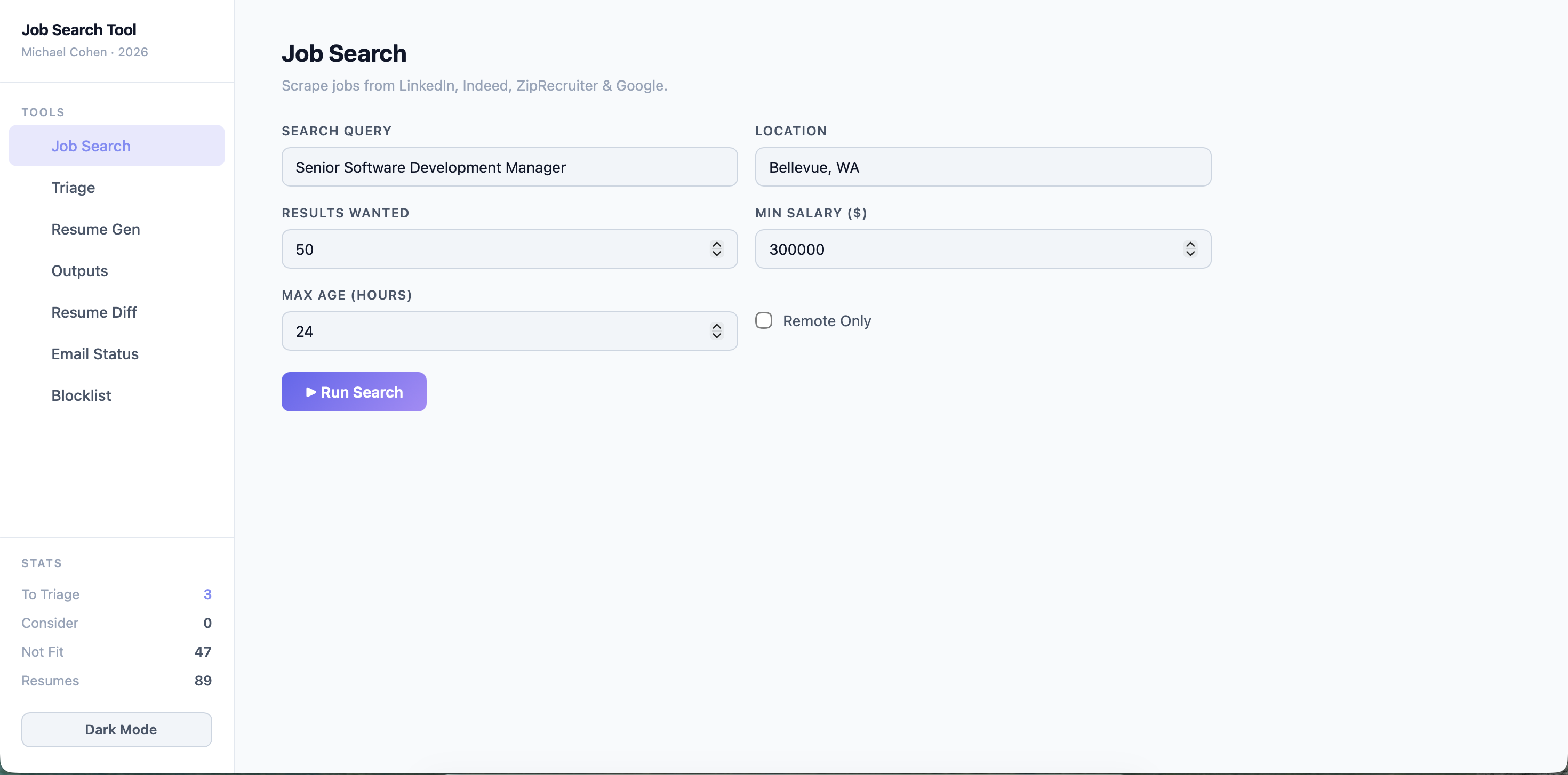
Enter a job title, location, and salary floor. The tool scrapes LinkedIn, Indeed, and Google simultaneously. Each result is automatically scored 1–10 against your profile — poor fits are deleted before you ever see them, and remote jobs that score low are automatically promoted to triage so location false-positives don't slip through.
02
Triage
Review one job at a time. Hit Yes, No, or Skip. Each card shows the AI fit score, rationale, and flags. Undo any decision instantly. Low-scoring non-remote jobs are already filtered out — only plausible matches reach this queue.
03
Tailor
The AI reads the job description, extracts requirements, and rewrites your resume bullets to match — without touching your canonical summary.
04
Cover Letter
A targeted cover letter is generated from the tailored resume, job description, and your configured focus areas.
05
Diff
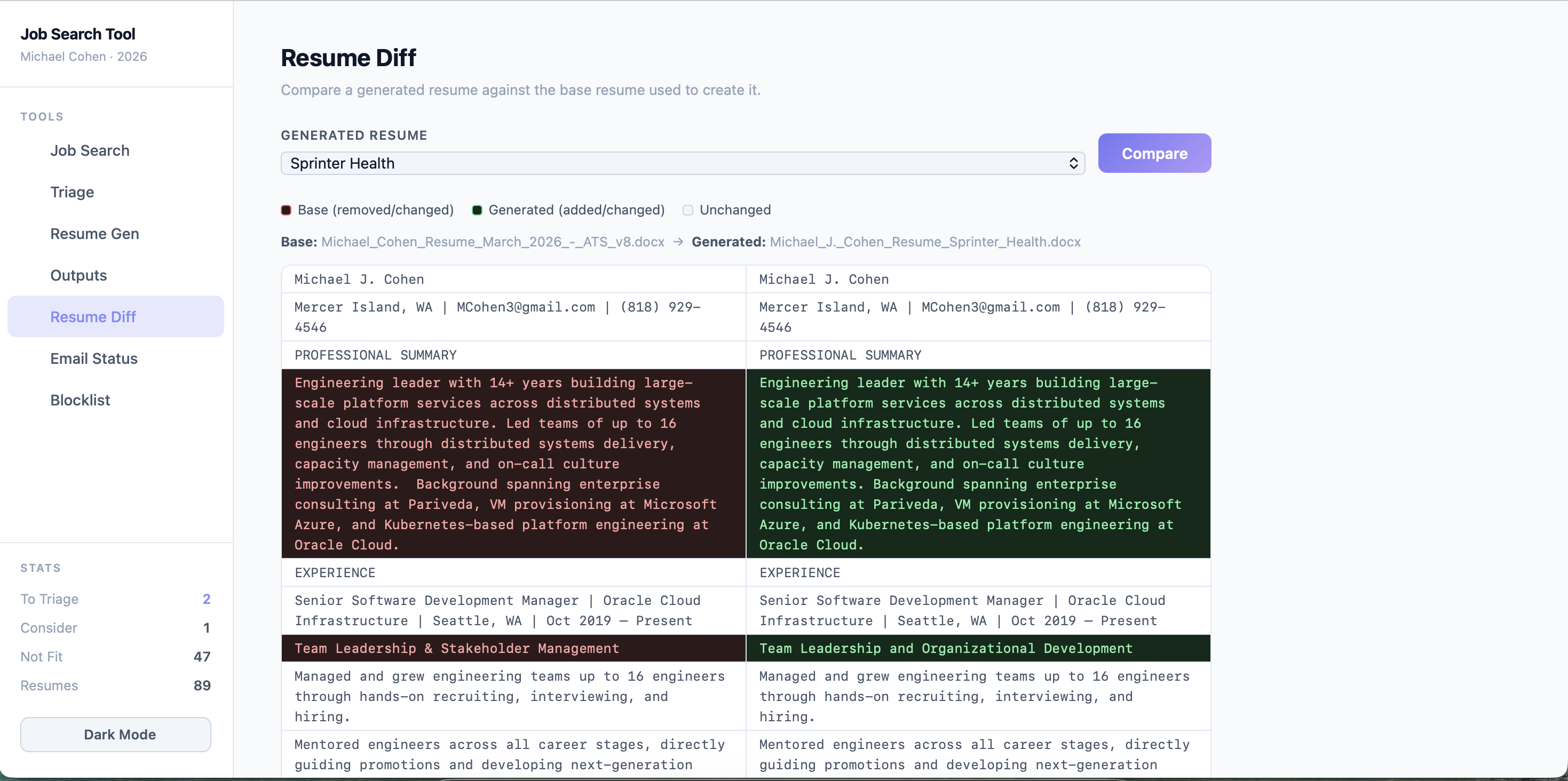
Side-by-side diff of the generated resume against the base resume used to create it — so you can see exactly what the AI changed.
06
Track
Connect Gmail to scan your inbox. The email dashboard classifies responses as Applied, Interviewing, or Rejected automatically.

Features

Everything in one place

No SaaS subscription. No data leaving your machine unless you call an LLM API.

🔍
Multi-board scraping
Pulls from LinkedIn, Indeed, and Google Jobs in a single search. Deduplicates by normalized job title so you never see the same posting twice.
Fast triage UI
Keyboard-friendly Yes / No / Skip interface. Full job description is shown inline. Undo support means you can move fast without fear.
🧠
AI resume tailoring
Batch-process all accepted jobs, tailor a single job, or paste any job URL for instant tailoring. The LLM rewrites your bullets — never your canonical summary.
✉️
Cover letter generation
Configurable focus areas and notable employers are injected into the prompt. Output is a polished DOCX with adjustable word count.
📊
Gmail status tracking
Scans your inbox, classifies emails by company and intent, and surfaces a clean table showing which applications are active, interviewing, or rejected.
🔀
Resume diff viewer
Select any generated resume and see a line-by-line side-by-side diff against the base resume used to create it. Instantly understand every change the AI made.
🚫
Blocklist management
Maintain a list of companies to exclude from all searches. Edit directly from the dashboard — no config file editing needed.
🐳
Docker-first setup
One docker compose up command starts everything. All outputs are mounted to your local filesystem — jobs, resumes, and config persist between runs.
🔌
Bring your own LLM
Works with Claude (Anthropic), Gemini (Google), or a local Ollama model. Switch providers by changing a single line in config.yaml.
📁
Organized output
Resumes and cover letters are saved per-company under resume_output/<Company>/. Optional LibreOffice PDF export included.

Installation

Up and running in minutes

Build and run in four easy steps with Docker

1
Install Docker Desktop
Download from docker.com and install for Mac or Windows. Start it before proceeding.
2
Create a project folder
Create an empty folder anywhere on your machine. All job results, resumes, and config will be saved here.
3
Download docker-compose.yml and create an empty config file
Download docker-compose.yml into your project folder
Download the empty config.yaml into your project folder
4
Start the app
Open a terminal in your project folder:
  • Mac: Press ⌘ Space, type Terminal, press Enter — then drag your project folder into the Terminal window
  • Windows: Open your project folder in File Explorer, Shift + right-click an empty area → Open PowerShell window here
Then run:
docker compose up
Docker pulls the image automatically. Open http://localhost:5000 — the setup wizard will guide you through the rest.

Take a look

Job search tool in action

Get Started

One command. No setup.

Your resume and job data never leave your machine. No subscriptions, no accounts. Pull the image and go.

Download docker-compose.yml Installation guide